An assistant that already has your files.
No uploads. No copy-paste. Ask Dockli is built into File Explorer and works across the Microsoft 365 files you already have — chat, dictate, search and compare, all without a data leaving your permission boundary.
Ask Dockli ships with the Spark plan.

Hi — ask me anything about your files.
See Ask Dockli in action.
Ask in plain English and Dockli does the work across your Microsoft 365 files, showing each step.
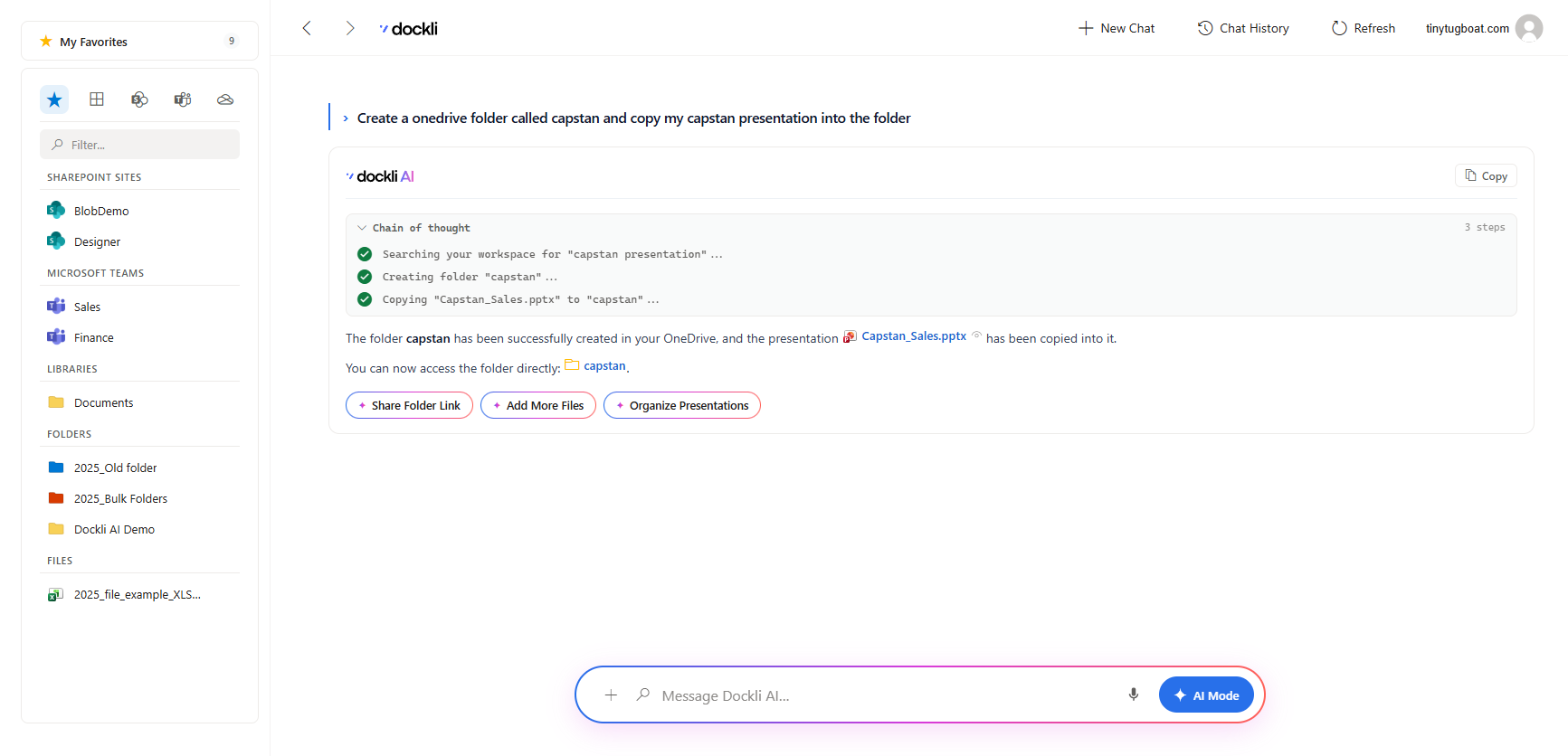
Everything you’d ask a colleague who’s read every file.
Scoped chat over your files
Ask questions across the files and sites you’re looking at. Ask Dockli answers from what’s actually in them — no uploads, no copy-paste.
Voice dictation
Talk instead of type. Dictate a question or a prompt hands-free and let Ask Dockli do the reading and writing.
Natural-language search
Describe what you’re after in plain English and find it across your SharePoint, Teams and OneDrive content.
Document diff & change summaries
Compare two versions of a document and get an instant, human summary of exactly what changed.
Attach files for grounded answers
Point Ask Dockli at specific files to ground its response in the sources you choose — with citations you can open.
Create & edit documents
Ask Dockli to draft or revise Word, Excel and PowerPoint files — then review the exact changes in a side-by-side diff before anything is saved.
Draft & send email and Teams
Compose, refine the tone, and send email or Teams messages about your files — with recipients, attachments and a review step, right from the assistant.
Scoped to what you can already see.
Ask Dockli never reaches beyond your permissions. It operates entirely inside your Microsoft 365 permission boundary — if you can’t open a file, neither can the assistant. Answers are grounded in your real content, with citations back to the source.
How Dockli keeps you secure →-
Inside your permission boundary
Ask Dockli only ever touches files you can already access in M365 — nothing more.
-
No data leaves your boundary
Your content stays scoped to your tenant’s access; the assistant never widens it.
-
Grounded, cited answers
Responses point back to the exact files they came from, so you can verify every claim.
Enterprise AI, wired for trust.
Ask Dockli runs on Azure OpenAI (GPT-4o), reached through an Azure API Management gateway — so the model key never touches your device, and every request is gated by your signed license entitlement.
The key never leaves the gateway
Your machine only ever holds a scoped request token. The Azure OpenAI key is injected server-side by Azure API Management — a patched client still can’t reach the model.
Gated by your license
Every AI call carries a signed entitlement token. No active seat, no answer — the gateway fails closed, so AI is only ever available to licensed users.
Only text, only your files
Attachments are read as text server-side; raw files and your Microsoft Graph token never reach the model. Your content isn’t used to train foundation models.
Read the full picture in the AI security and AI privacy docs.
Put an AI on your files today.
Ask Dockli comes with Spark. Try the AI free for your first month.