Dockli, wherever you sign in.
The Dockli Web App brings your SharePoint, Teams and OneDrive files, Ask Dockli AI and a personal Cockpit for your day to any modern browser — on a Mac, a Chromebook, or a PC where you can't install apps.
- Nothing to install — sign in with your Microsoft 365 account
- Included with your existing Dockli seat and plan
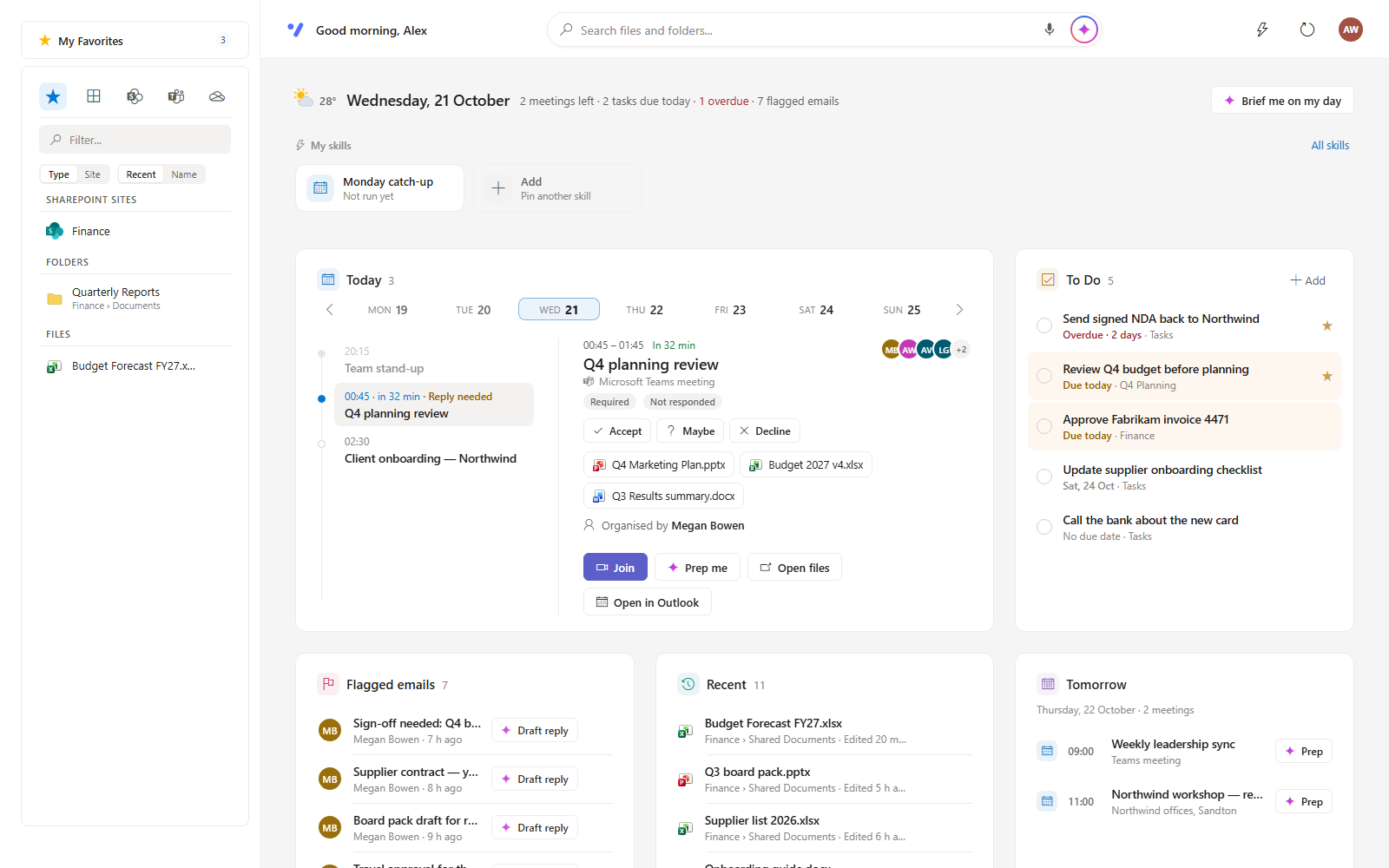
- The Cockpit: meetings, To Do, flagged email and recent files in one view
Same Dockli, no install
Go to app.dockli.io and sign in with your Microsoft 365 work account. You get the same SharePoint sites, Teams, OneDrive, Shared with me and Favorites you know from the Windows app — browse, upload, rename, copy, move, share, restore versions and empty the recycle bin, all in the browser. It works on Windows, macOS, ChromeOS and Linux, in a current version of Microsoft Edge, Google Chrome, Firefox or Safari.
The Cockpit: your day at a glance
The Web App opens on the Cockpit — today's meetings with their files and RSVP buttons, your Microsoft To Do tasks, the emails you've flagged, the files you've recently opened or edited, and what's coming tomorrow. On the Spark plan, Brief me on my day turns it into a one-screen briefing, Prep me gets you ready for a meeting, and Dockli AI drafts replies to flagged emails.
Skills and a duplicate finder
Skills are jobs Dockli AI does the same way every time — tidy a folder, file invoices, write an end-of-day wrap-up, turn flagged emails into tasks. Pin your favourites to the Cockpit and run them in one click. The built-in duplicate finder scans any library or folder for identical and look-alike files and shows how much space you'd get back.
Your licence, your security model
The Web App uses the same Dockli seat, plan and Microsoft 365 permissions as the Windows app — your admin's existing approval already covers it. Your Microsoft access token stays on Dockli's server and never reaches the browser, which only holds an encrypted sign-in cookie. Files stay in Microsoft 365.
Your Microsoft 365 files, from any browser.
Sign in with your work account · included with your Dockli seat · nothing to install.