
Command Center
Your whole day, on one screen.
Meetings with the files you need for each, your To Do, the emails waiting on you and what you worked on last. Ready when you open Dockli, in Windows, the browser, Teams or on your phone.
Windows · Web browser · Microsoft Teams · Phone
Start every day knowing exactly where to begin.
1
view of your day
Meetings, files, tasks and email together.
1 click
to a plan
Brief me on my day writes it for you.
Every
meeting prepared
Files and a briefing for each one.
4
places it works
Windows, Teams, the browser and phones.
Your day, in order
A timeline of today’s meetings with Join, Accept or Decline and the files from each invite.
To Do alongside
Add tasks, set due dates and tick them off without opening another app.
What’s waiting on you
Flagged emails with a one-click AI draft reply.
Your Skills, pinned
The routines you run most, one click from the top of the page.
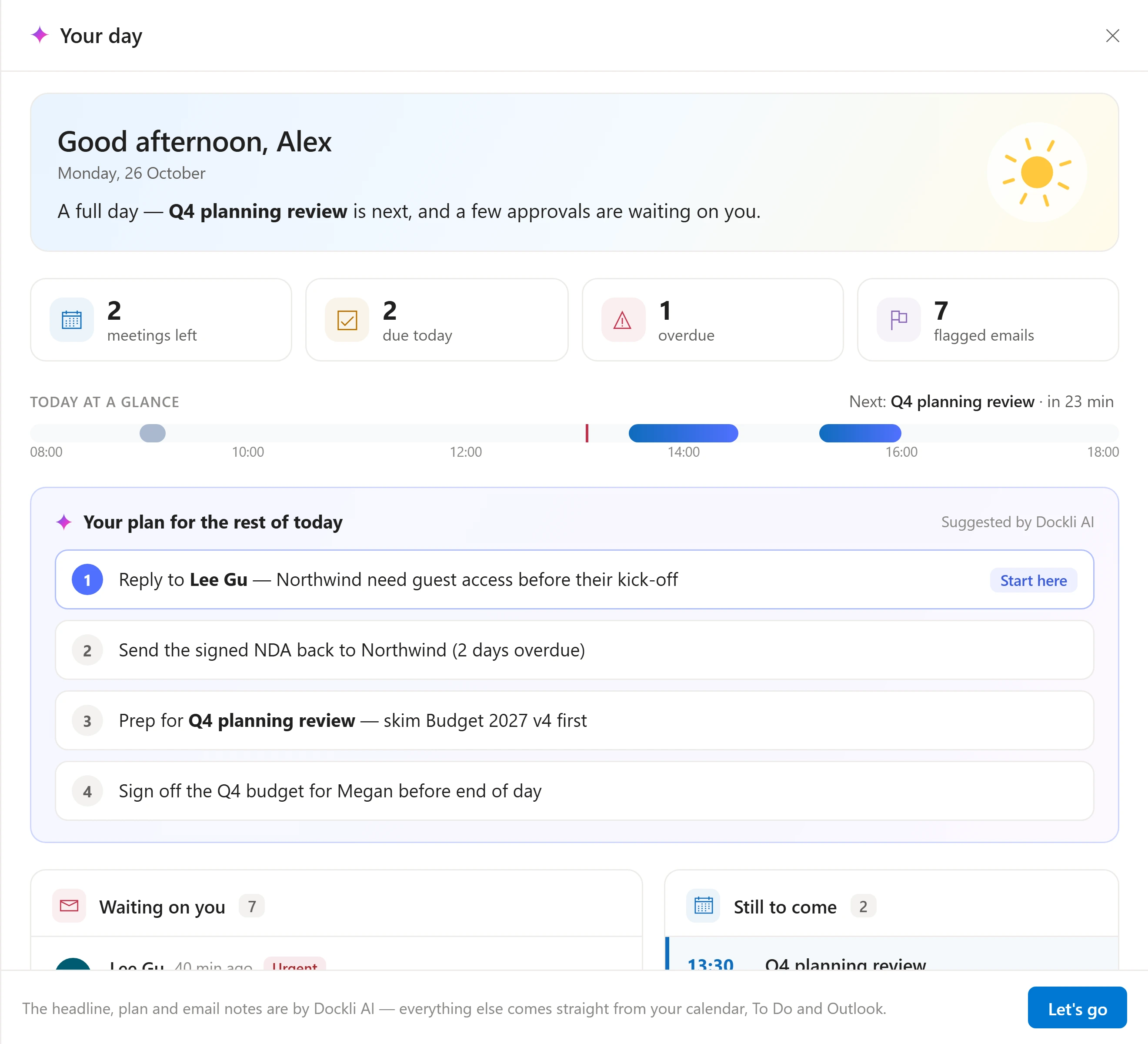
Brief me on my day
A plan for the rest of today, in one click.
Dockli AI reads your calendar, To Do and flagged email, then tells you what’s left, what’s overdue and exactly where to start.
- Meetings still to come, tasks due and overdue
- Who’s waiting on you, and what they need
- A suggested order for the rest of the day
The briefing only uses your own calendar, To Do and mail, through your Microsoft 365 permissions.
Prep me
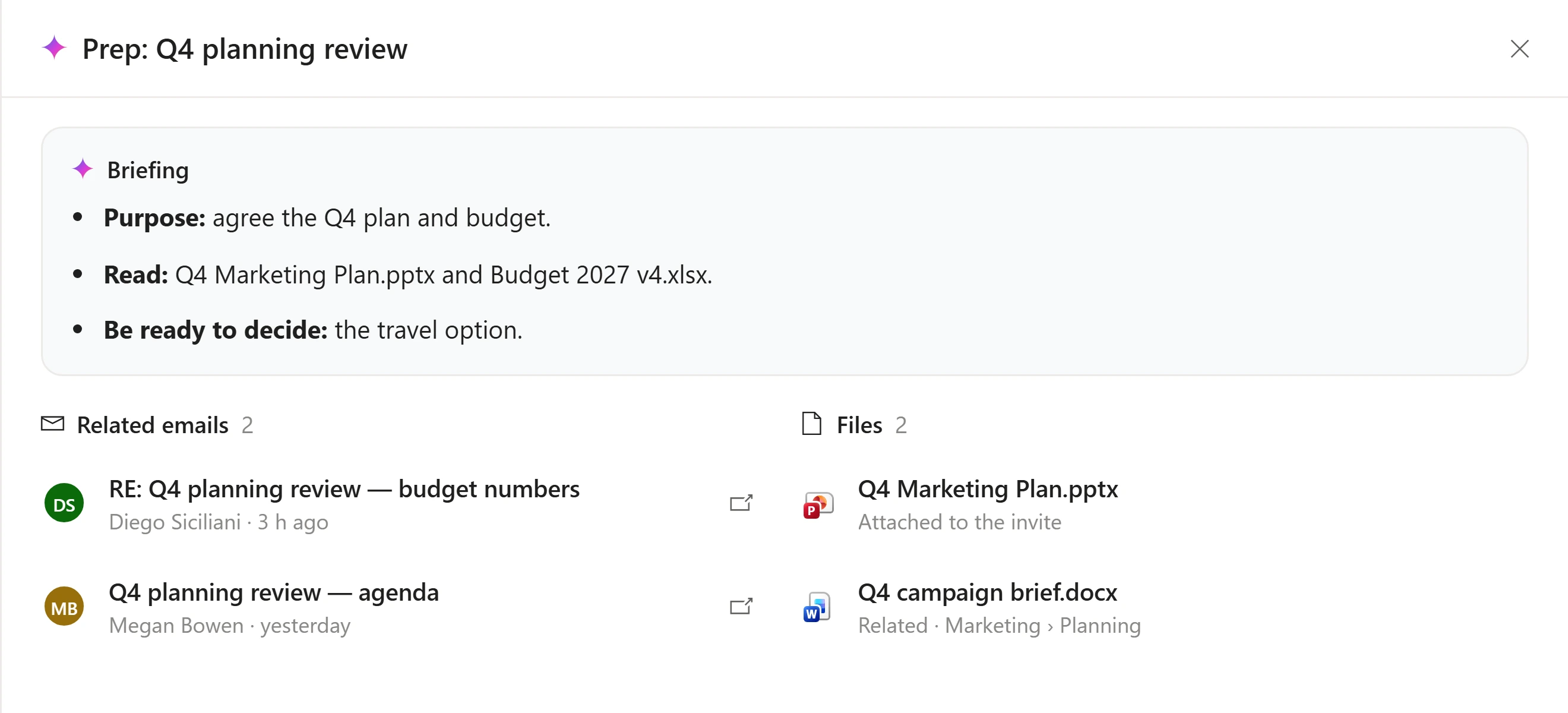
Walk into every meeting ready.
One click on a meeting gives you a short briefing from the invite and the emails behind it, plus the files you’ll need.
- Purpose, what to read and what to decide
- Related emails and files, ready to open
- Join straight from the same card
On your phone
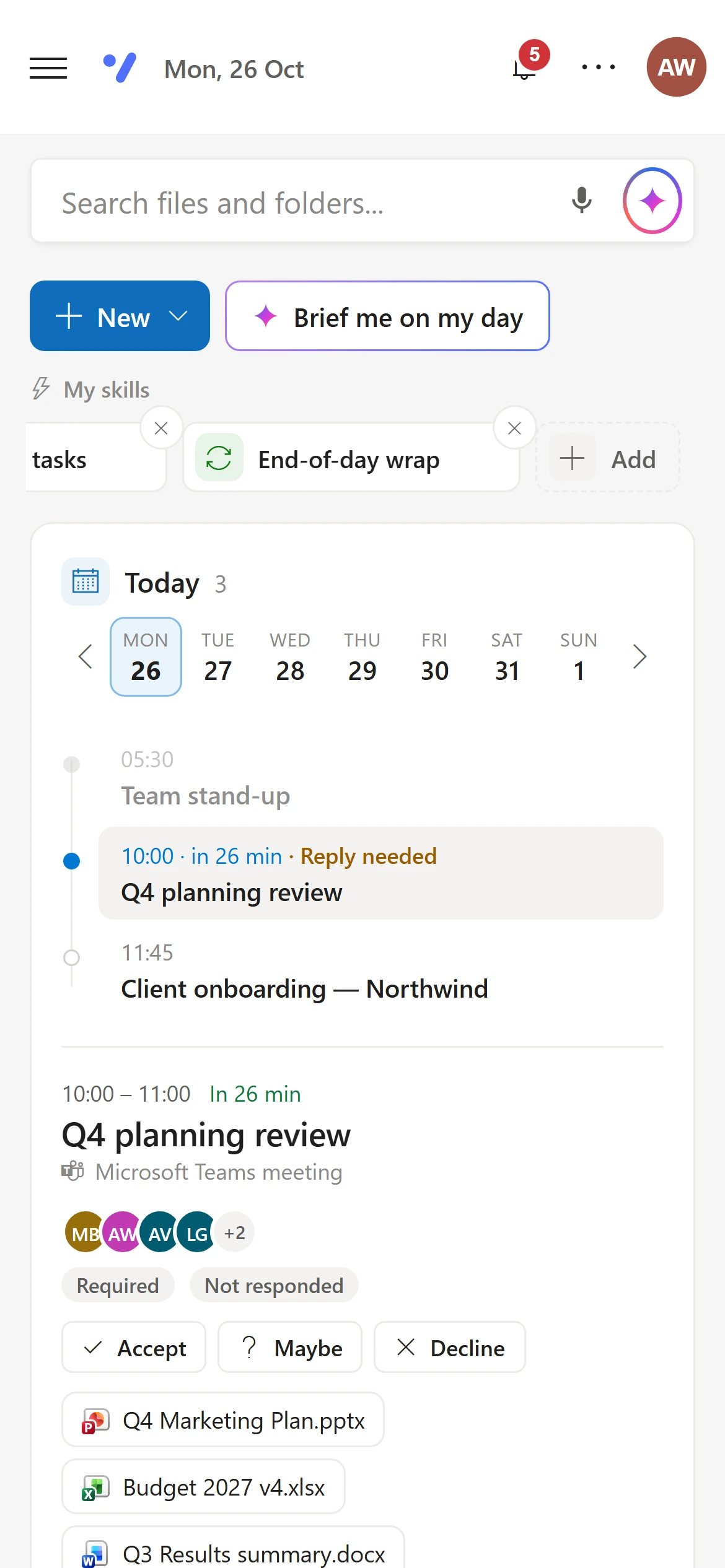
The same day, in your pocket.
The Command Center lays itself out for your phone, so you can check the day, join a call or find a file on the way in.
On your Command Center
Everything on one screen.
Today and this week
A timeline of your meetings with Join from 15 minutes before, Accept, Maybe or Decline, and a week strip to look ahead.
Files for each meeting
The documents and attachments from each invite, ready to open.
Prep me
A briefing for any meeting from the invite and the emails behind it, with who’s coming.
Transcript and recap
After a meeting: the transcript, key points, decisions, action items and open questions, as a PDF or a Teams recap.
To Do
Add tasks, set due dates, add steps, or let Dockli AI break a task down for you.
Flagged email
What’s waiting on you, with a one-click draft reply.
Recent files
What you opened last, with Open, Show in folder and Copy link.
Brief me on my day
Meetings left, tasks due, overdue and flagged, then a plan for the rest of the day with a clear first step.
Create anything
New documents, presentations, workbooks and folders, from your organisation’s templates.
Keep exploring
Works hand in hand with
See it with your own Microsoft 365.
Explore the interactive demo now, then book a demo with our team. Your files never leave your tenant.
Screenshots and recordings show the Dockli app with sample data.