
Tools
Clean up and lock down, without a specialist.
Four tools for the jobs that usually need a consultant. Everyone can run them on their own files, and administrative options open up wider scopes for IT.
Windows · Web browser · Microsoft Teams
The work you’d normally hire a consultant for, built into everyone’s day.
4
specialist tools
Duplicates, broken links, old versions and access.
0
scripts or admin centres
Everything runs from a right-click or the Tools panel.
93 days
to restore
Removed files and versions go to the recycle bin first.
Remove-only
by design
No tool ever grants access to anything.
Duplicate Finder
Identical files, found by their contents, and the space they use.
Link Replacer
Broken links inside Excel and CSV files, found and pointed at their new home.
Version Sweeper
Keep the versions you need and clear the rest.
Access Review
Anyone links, guests and people, and one place to remove them.
Access Review
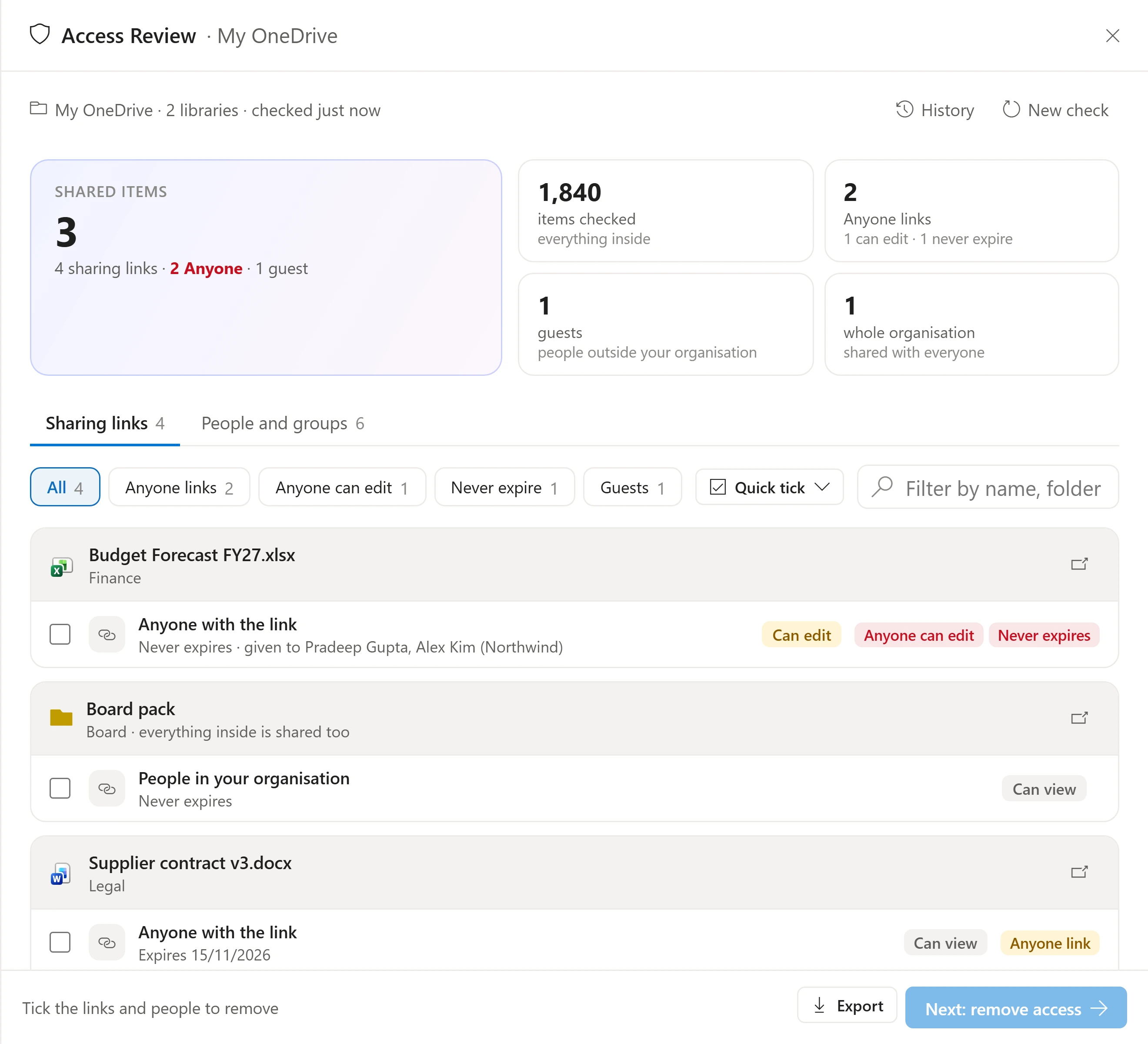
See who can open what. Remove what shouldn’t be there.
Every sharing link, guest and person with access, flagged by risk: Anyone links, edit links that never expire, guests and whole-organisation sharing.
- Tick the links and people to remove, in bulk
- Export the record for audit
- Remove and revoke only. It never grants access.
Duplicate Finder
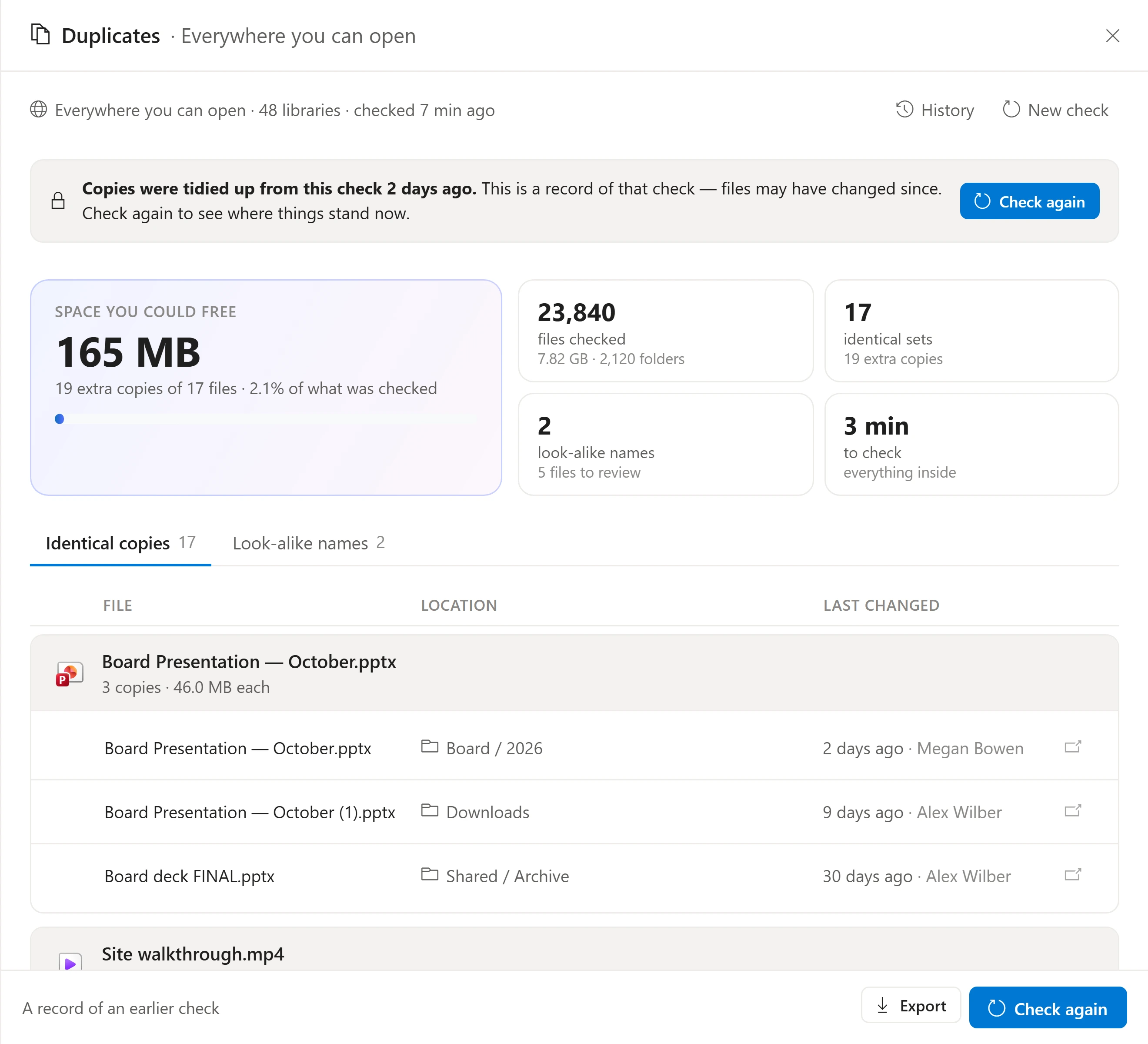
The space you could free, in one view.
Duplicate Finder compares files by their contents, not their names, and shows every copy with where it lives and who changed it last.
- Identical copies and look-alike names
- Keep one, tidy the rest
- Every check is kept in your history
The toolkit
Four tools. Each with its own page.
Duplicate Finder
Identical files found by their contents and tidied up your way.
Link Replacer
Broken links in Excel and CSV files pointed at their new SharePoint home.
Version Sweeper
The storage old versions use, cleared on rules you set.
Access Review
Every link, guest and person with access, flagged by risk and removable.
The details
Built the same way, every tool.
- Runs in the background
- Close the panel any time. The bell at the top right tells you when it’s done, and several checks can run at once.
- History
- Every check and every change is kept per person, with the date, the place and what happened. Open an old one to see it again.
- Your permissions
- A check only sees what the person running it can open in Microsoft 365. Nothing is widened.
- Administrative options
- Off by default. Once switched on, IT can run checks across sites, Teams and the whole organisation.
See it with your own Microsoft 365.
Explore the interactive demo now, then book a demo with our team. Your files never leave your tenant.
Screenshots and recordings show the Dockli app with sample data.